
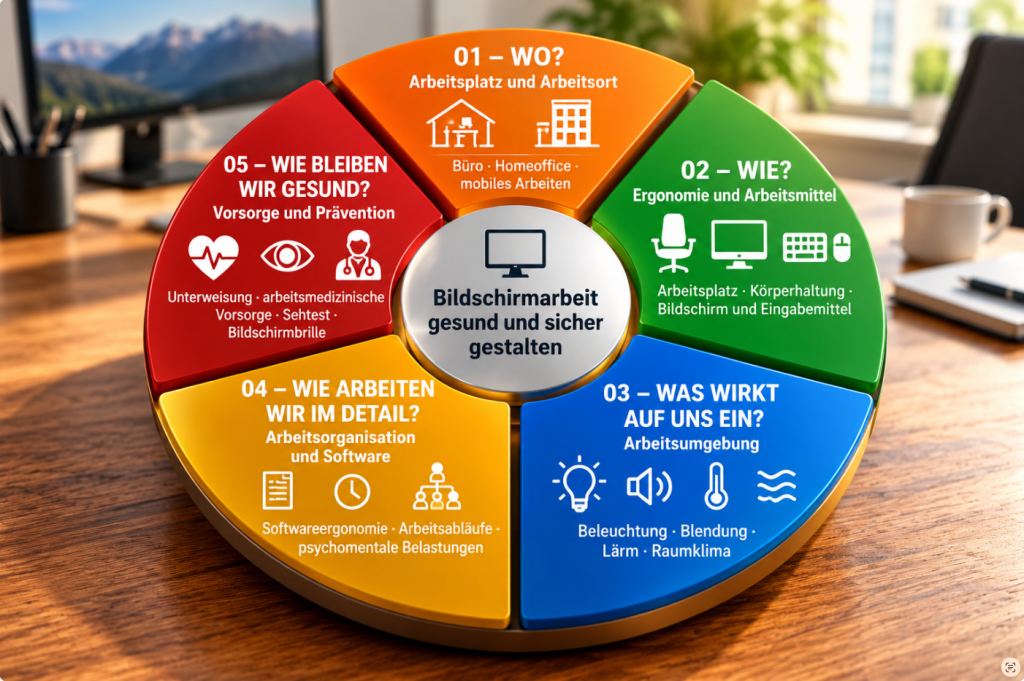
Working at a computer involves more than just a desk, chair, and monitor. The workplace, ergonomics, work environment, digital tools, and work organization all play a role. Training and occupational health care are also important factors.
This resource guide walks you through the key topics of a systematic risk assessment for computer work.
01 – WHERE?
Job and Work Location
Where computer work takes place helps determine the requirements for the workplace and working conditions.
→ Risk Assessment for Computer Work – Office, Home Office, and Mobile Work
02 – HOW?
Ergonomics and Work Equipment
The way the workplace and work equipment are designed affects posture, visual conditions, and ergonomic work practices.
→ Ergonomie am Bildschirmarbeitsplatz – Arbeitsplatz richtig einstellen
03 – WHAT INFLUENCES US?
Work Environment
Lighting, glare, noise, and indoor climate have a direct impact on concentration, well-being, and performance.
04 – HOW DO WE WORK?
Work Organization and Software
The way work is organized and software is designed affects workflows, workloads, and work efficiency.
05 – HOW DO WE STAY HEALTHY?
Prevention and Early Detection
Training, occupational health screenings, and proper vision care when working at a computer help prevent health problems early on and maintain good health.
Do you have a question about workplace safety?
Please briefly describe your request. I will get back to you personally.